How to accept/decline best offer from buyer or send counteroffer?


How to accept/decline best offer from buyer
or send counteroffer
  1. View and process buyer offers
  2. Why is the buyer ID garbled and the zip code marked with asterisks?
1. View and process buyer offers

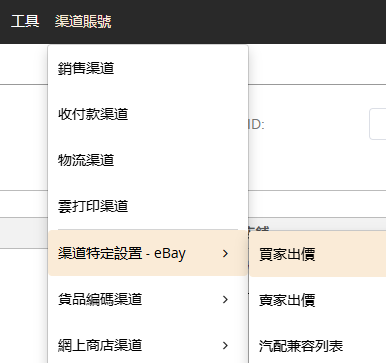
Go to Channel Account > Channel-Specific Settings - eBay > Buyer offer

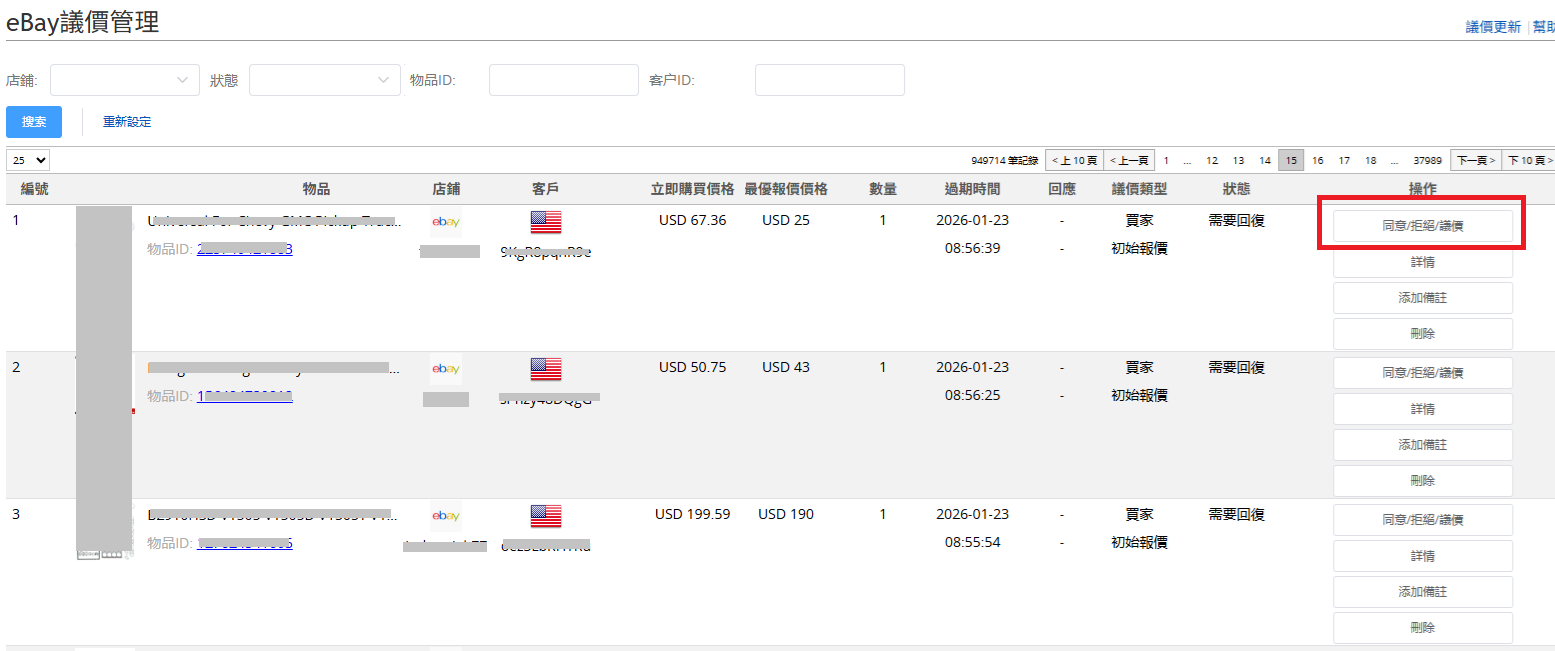
To view the price offers sent by the buyer, click on the "Agree/Reject/counteroffer" button to take action.

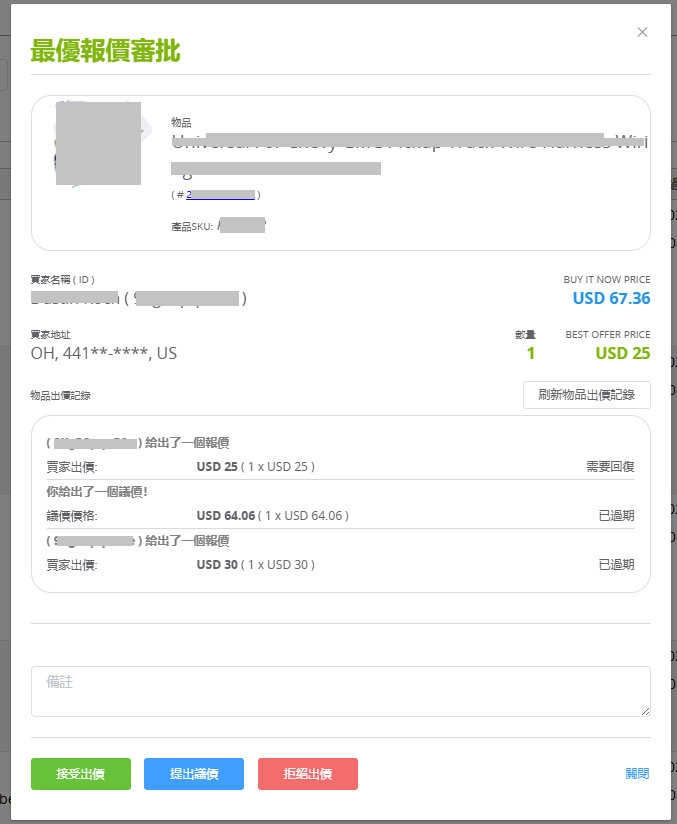
In the pop-up window, you can accept or reject the offer, or propose a counteroffer.

If you have previously offers with the same buyer for the same item, they will also be displayed.

2. Why is the buyer ID garbled and the zip code marked with asterisks?

Due to stricter requirements for buyer information protection on the US site, SoldEazy cannot display US buyer IDs or zip codes. If needed, please log in to your eBay account to view these details.

***END***


Article Number: 1127
Posted: Thu, Jan 22, 2026 7:44 AM
Last Updated: Thu, Jan 22, 2026 8:11 AM
Posted: Holistic Tech [info@holistictec.com]

Online URL: https://www.soldeazy.com/support/article.php?id=1127