SoldEazy Help and Support

Link up Shopify in SoldEazy

Link up Shopify in SoldEazy
  1. Create a private app in Shopify
  2. Link up your Shopify app to SoldEazy
  3. Clone your eBay listing to Shopify
1. Create a private app in Shopify

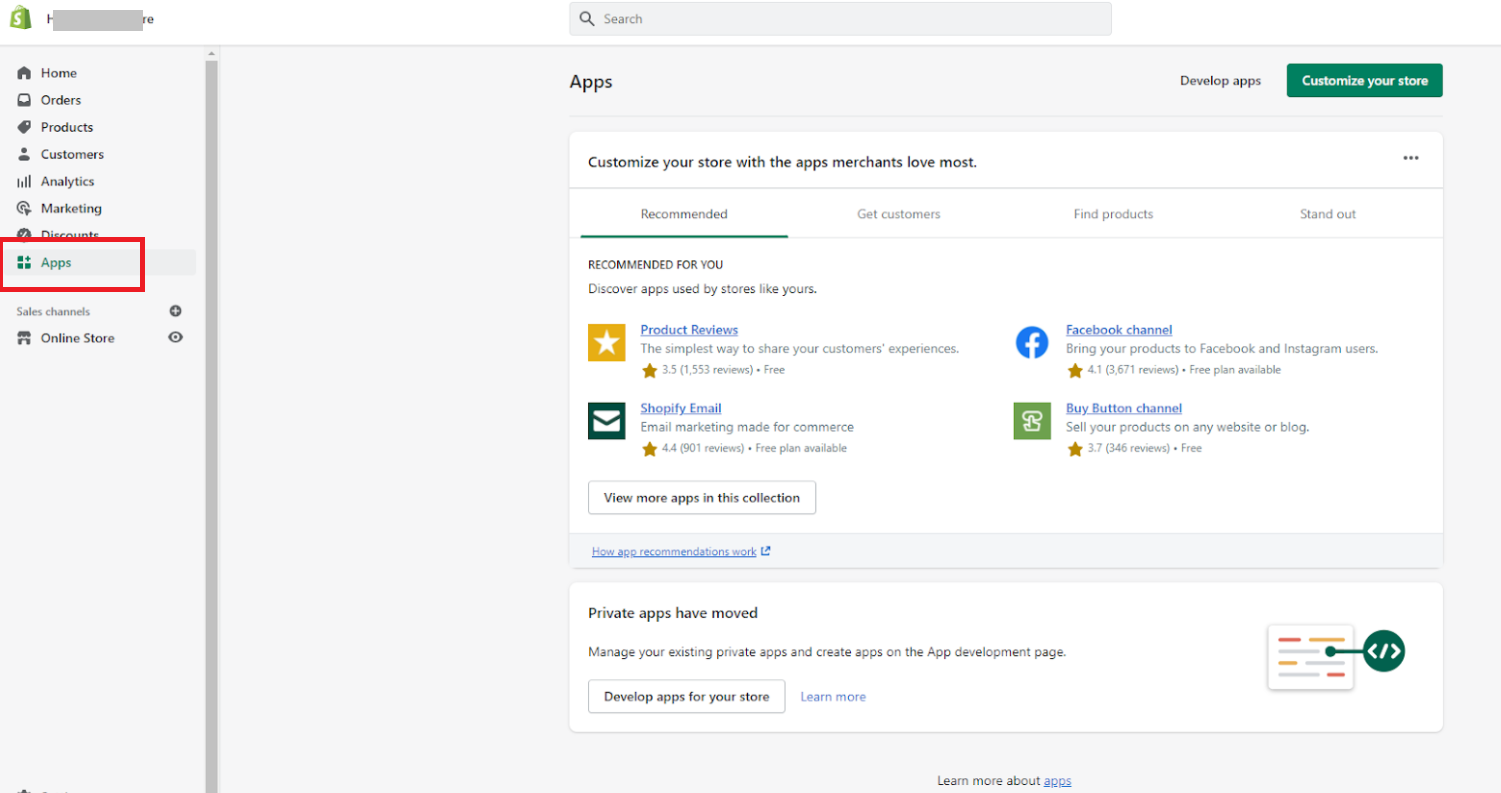
Log in to your Shopify backend, click " Apps " in the left menu

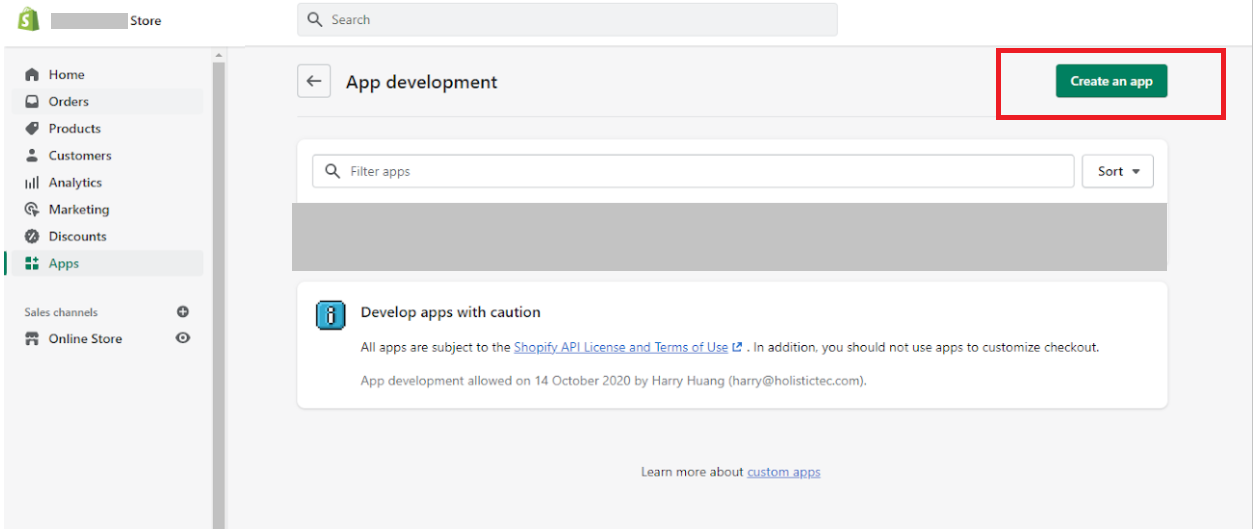
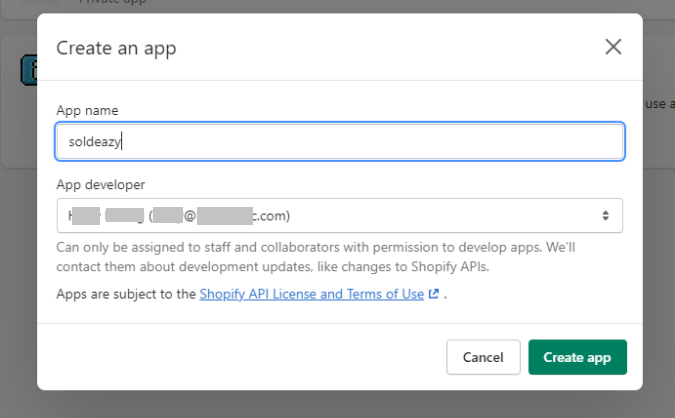
Click " Create an app " and name your app

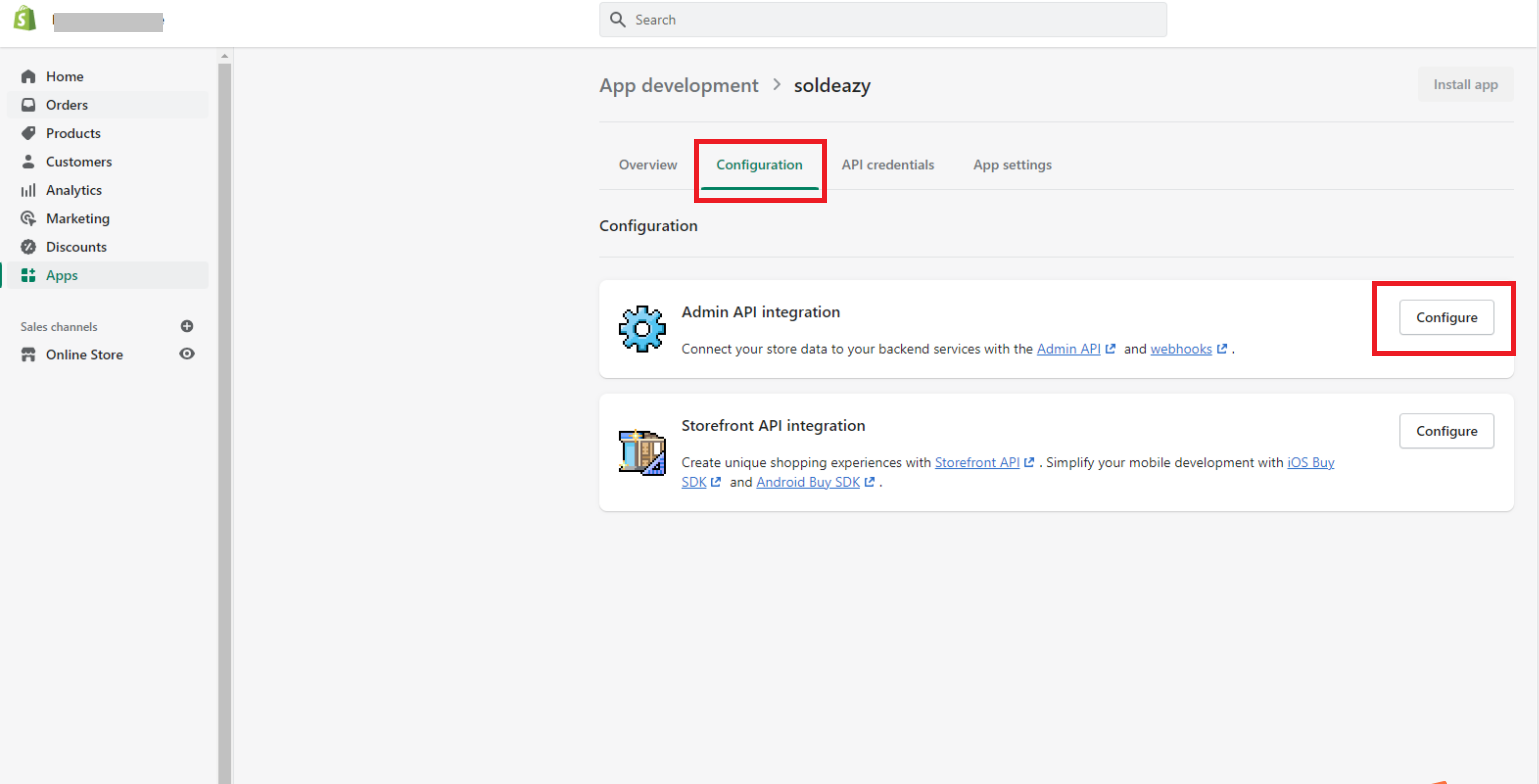
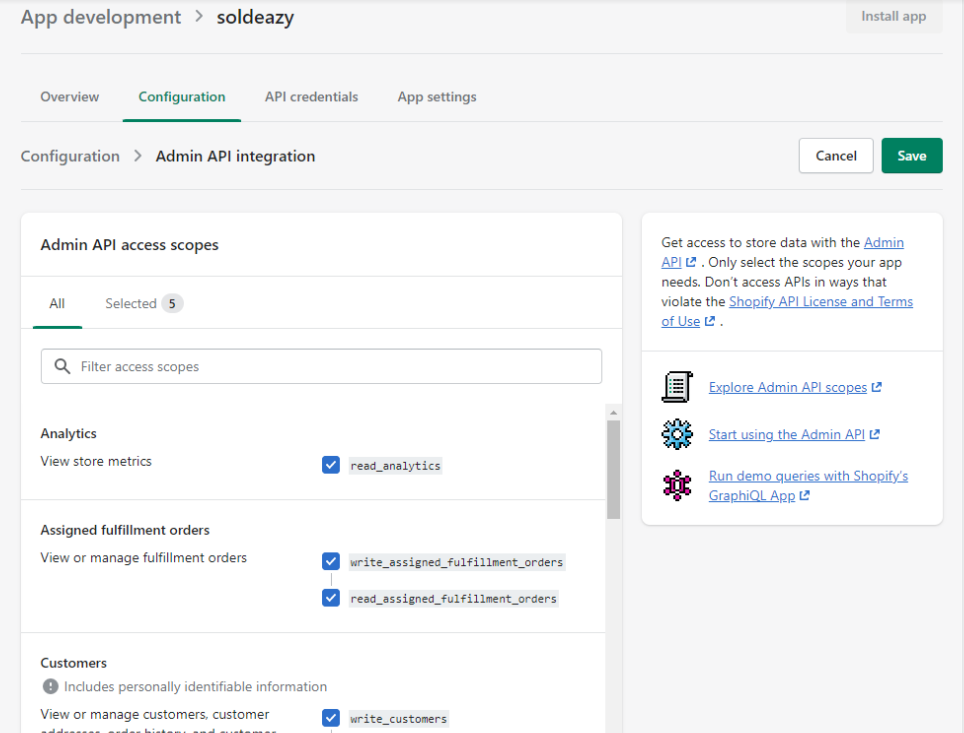
Go to Configuration tab, click “ Configure ” in “ Admin API integration ” section.

Check all Admin API access scopes and save.

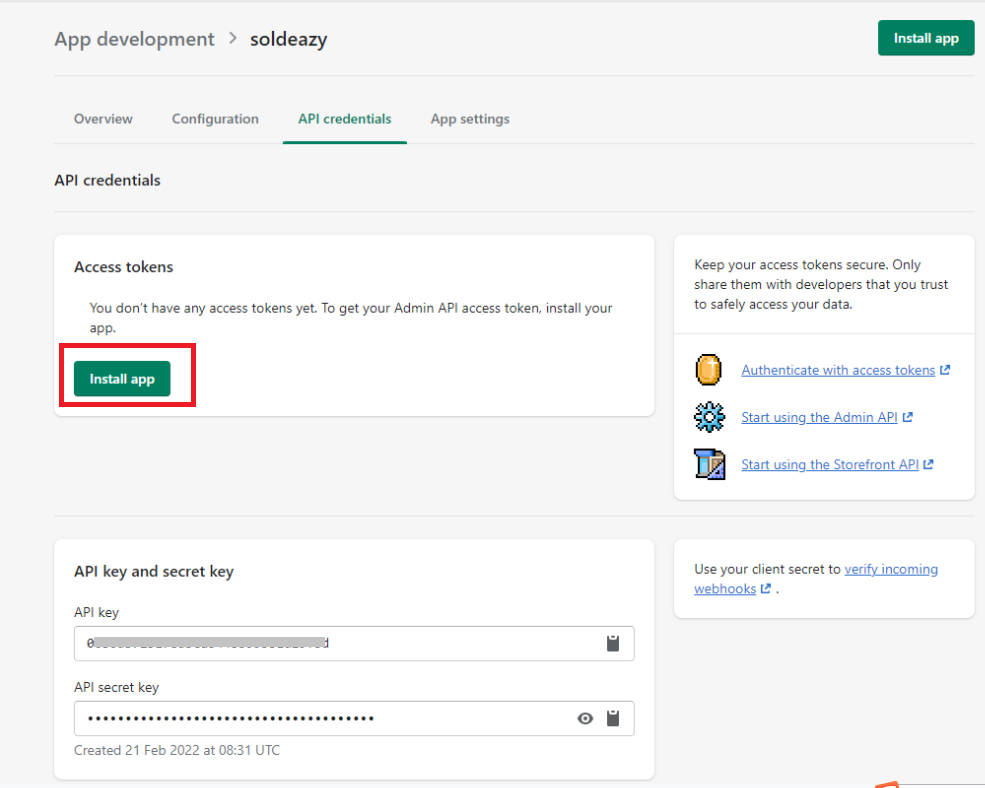
Go to API credentials tab, click “ Install app ”.

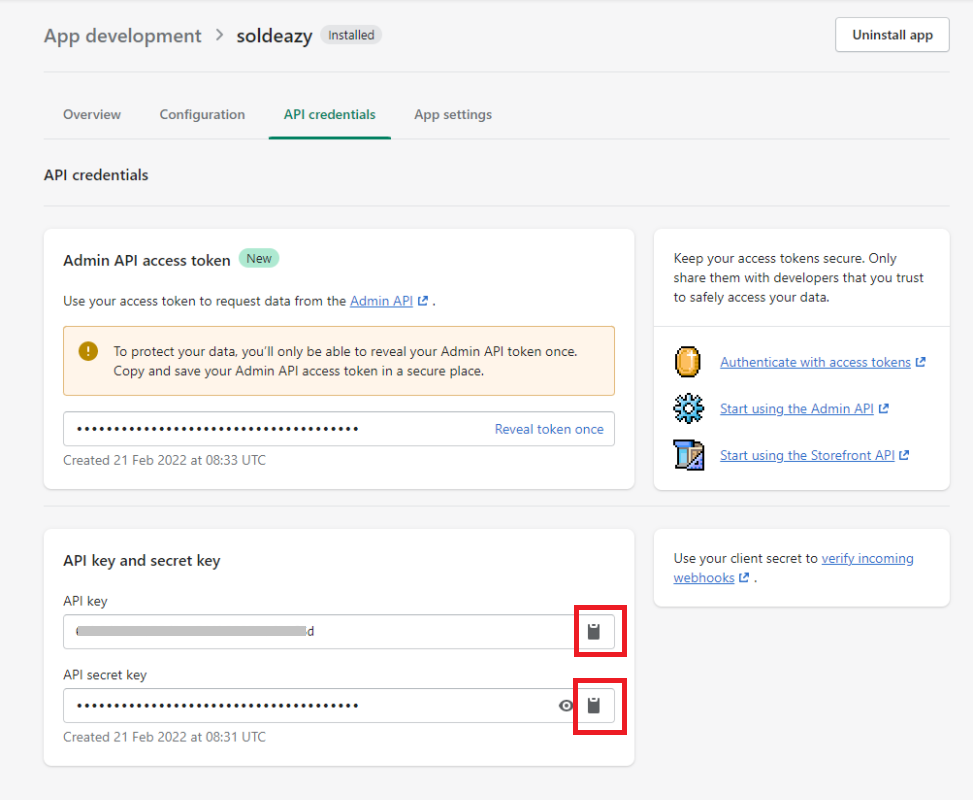
Go to API key and secret key , copy " API key " & " API secret key ".

Then go to SoldEazy.

2. Link up your Shopify app to SoldEazy

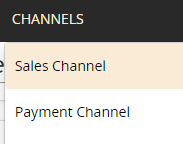
 Log in to SoldEazy, go to Channels > Sales Channel

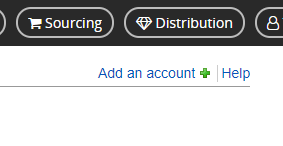
Click < Add an account >

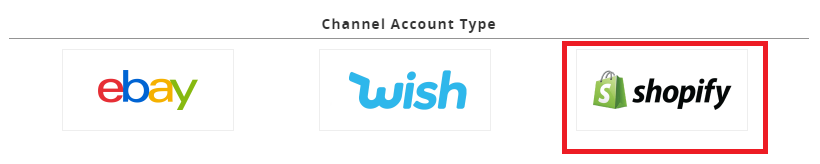
Choose < Shopify >

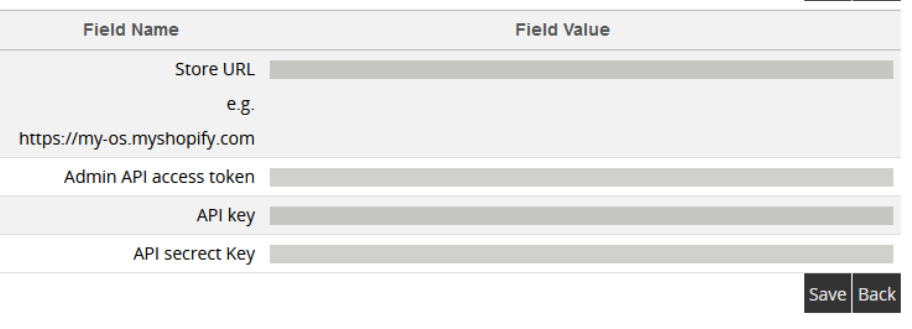
Input your Shopify store URL and credentials , click save

Linking up process is now completed, you can start Shopify operation in SoldEazy now.

3. Clone your eBay listing to Shopify
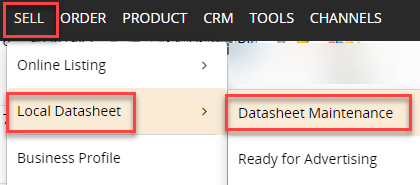
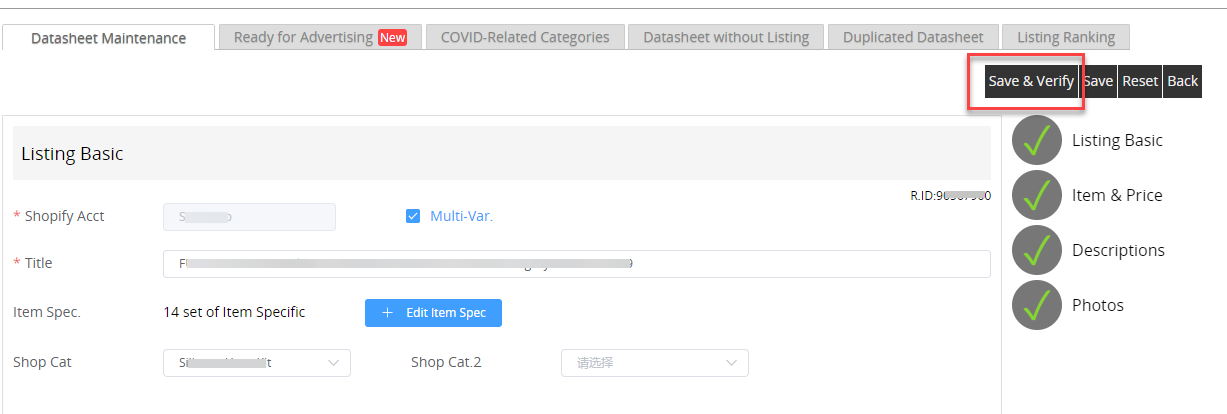
Go to SELL > Local Datasheet > Datasheet Maintenance

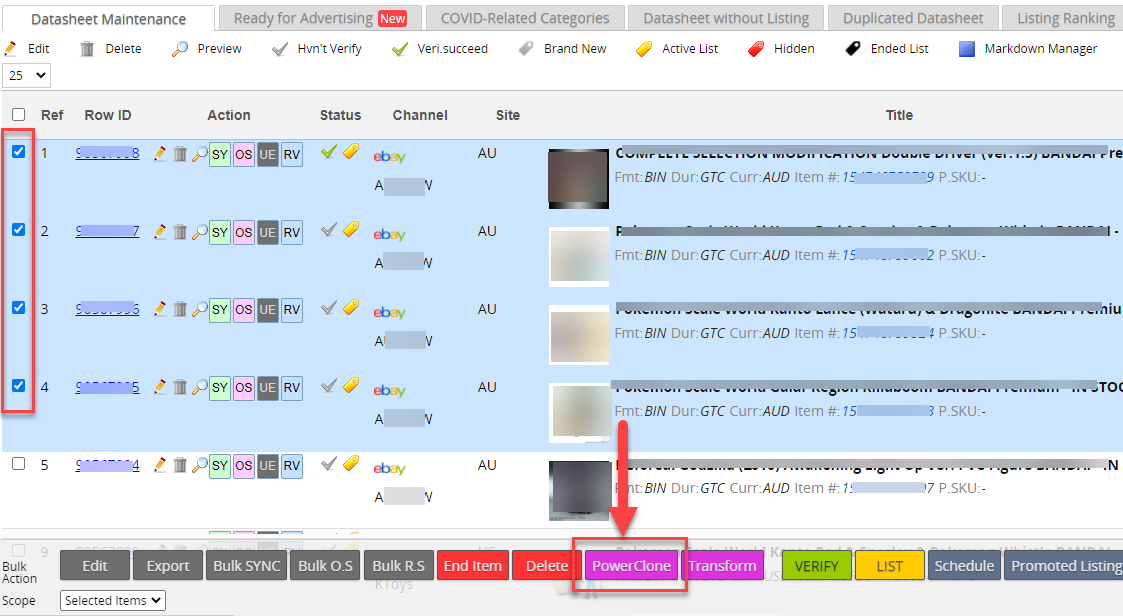
Select existing eBay datasheets that you want to clone to Shopify, click <PowerClone> button in the bulk action buttons

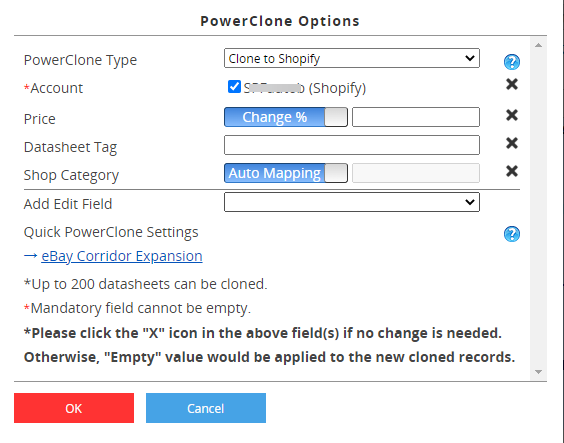
Select "Clone to Shopify" in <PowerClone Type>, then select the Shopify account that you want to clone to, then confirm OK

Usually the cloned datasheets will appear on top of new datasheets immediately, if not, please re-enter datasheet maintenance page.

Go to the newly cloned datasheets, click pencil button to edit contents

If everything is OK, click <Save and Verify>, changes will be saved, and the system will verify if the contents are OK for listing to Shopify

When you see the result is successful, click yellow <List Now> button

Your item is now listed to Shopify successfully.

***Fin***

0 (0)
Article Rating (No Votes)
Rate this article
Attachments
There are no attachments for this article.
Related Articles RSS Feed
01 Soldeazy New User Guide
Viewed 6512 times since Mon, Nov 13, 2017
eBay Listing Recommendation Function
Viewed 5811 times since Wed, Sep 23, 2020
HTML code template for pure text(No layout design, banner, hot item, etc), applicable to Shopify
Viewed 1460 times since Fri, Oct 31, 2025
08 Multi-variation Listing
Viewed 1687 times since Thu, May 8, 2025
General Introduction to SoldEazy - Video
Viewed 5850 times since Tue, Jun 18, 2019
How to deal with eBay COVID-19 related listing
Viewed 5772 times since Fri, May 8, 2020
How to use Collections in SoldEazy
Viewed 1303 times since Thu, Jan 26, 2023
05 Bulk Listing Modification and the Use of Datasheets
Viewed 9247 times since Mon, Nov 13, 2017
How to add EPREL registration number to a product with an Energy Efficiency Label (EEK label)
Viewed 225 times since Wed, Mar 18, 2026
03 Account Overview
Viewed 4794 times since Mon, Nov 13, 2017