SoldEazy Help and Support

After the listing has been listed on eBay, the listing template only shows part of it or disappears?

After the listing has been listed on eBay, the listing template only shows part of it or disappears?


1. Reason

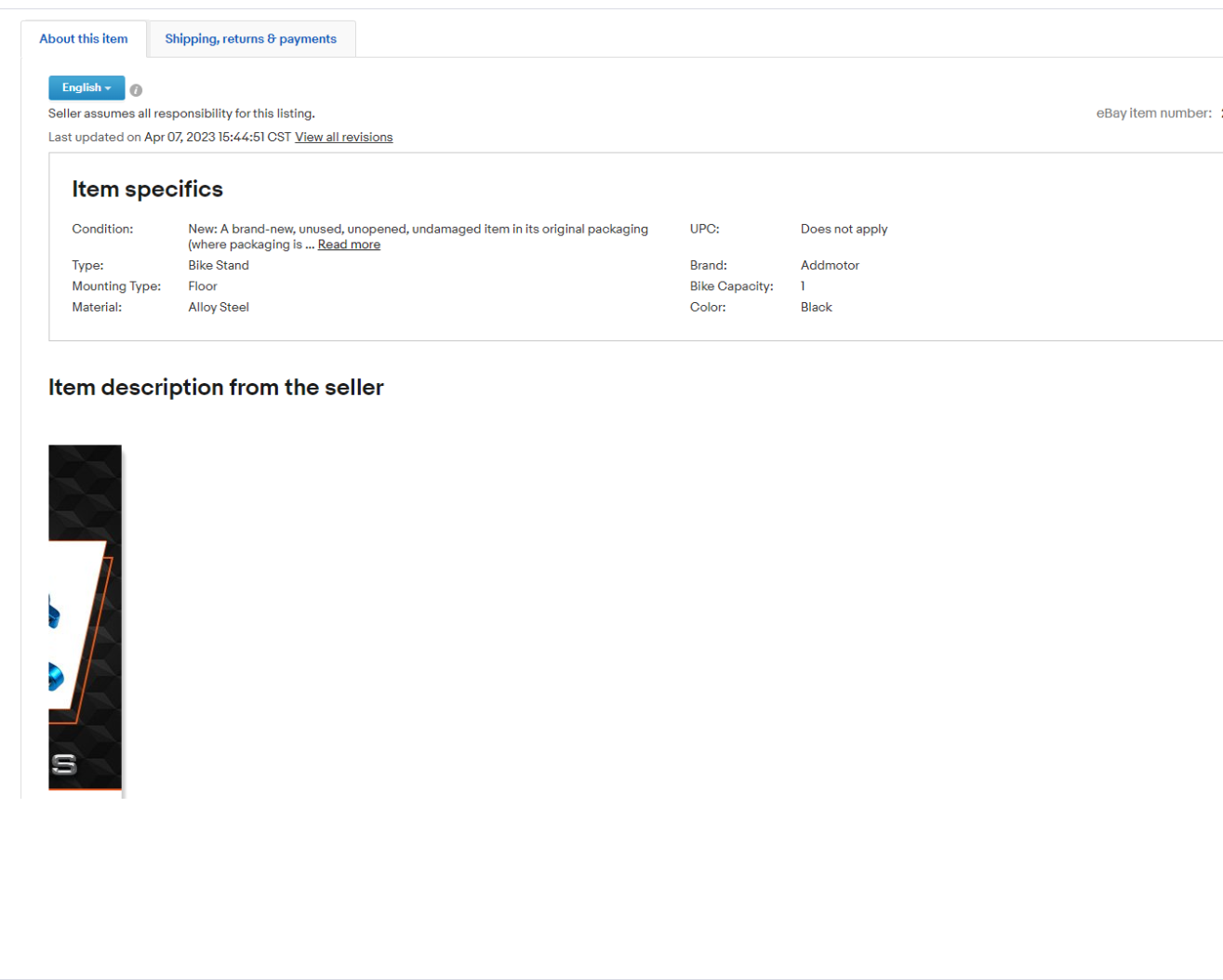
This situation is usually caused by accidentally clicking Ctrl+V twice when

copying the text description, as shown in the figure below:

2. Solution
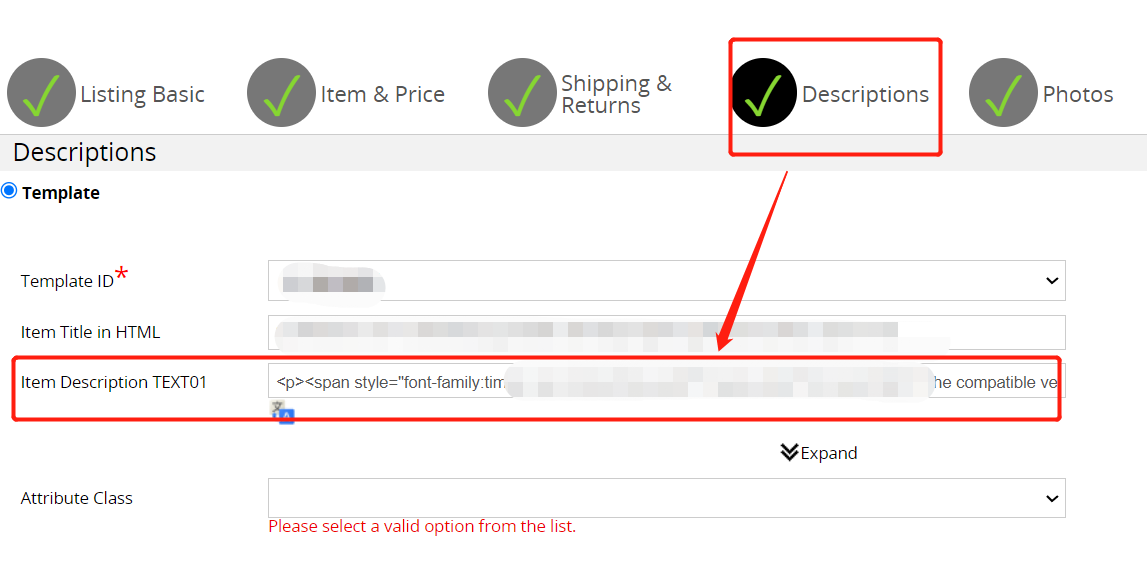
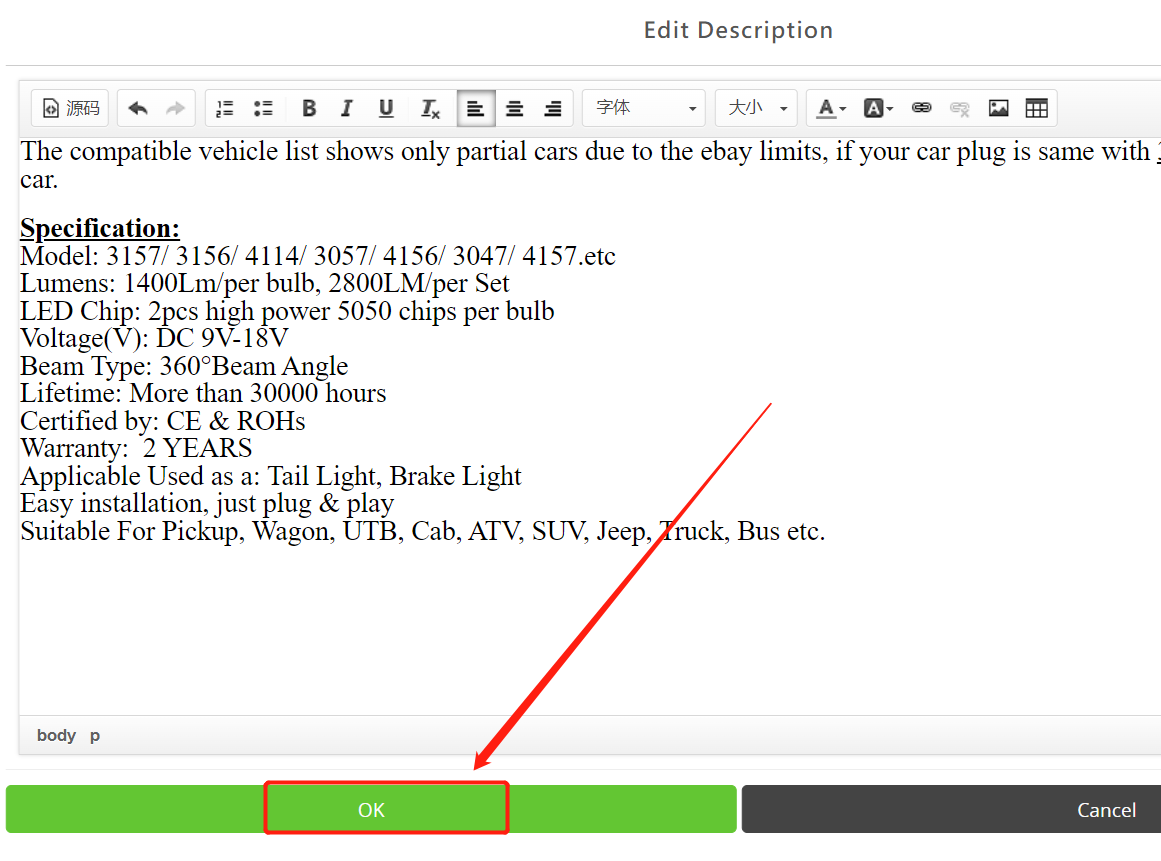
Find the datasheet corresponding to the listing, then open the "Item Descrip-tion TEXT01", click "OK" again, and finally "Sync UP" to eBay. As shown below:


***Fin***

0 (0)
Article Rating (No Votes)
Rate this article
Attachments
There are no attachments for this article.
Related Articles RSS Feed
eBay Listing Fees and Others
Viewed 5427 times since Tue, Jul 10, 2018
Requirements for Multi-Variation Listings for Different eBay sites
Viewed 23984 times since Tue, Jul 31, 2018
Type of Encoding needed in the CSV File
Viewed 4876 times since Tue, Jul 10, 2018
Setting about Megashowcase
Viewed 4217 times since Tue, Jul 31, 2018
The width of the text description 01 edit table is 100%, but the table exceeds the border when browsing on the mobile phone after launching the listing?
Viewed 3013 times since Wed, Jul 29, 2020
Introduction of Promoted Listings
Viewed 3946 times since Fri, Jul 20, 2018
The common eBay errors and the corresponding causes and solutions
Viewed 18594 times since Thu, Jul 23, 2020
How to update Wish/ ebay account token
Viewed 5597 times since Tue, Jul 17, 2018
How to turn off ’Click & Collect’ in Australia site
Viewed 3583 times since Wed, Jul 29, 2020
How to Check Whether the eBay Item Description Can Fit Mobile Size, whether it contains Active Content and non-secure HTTP content
Viewed 4184 times since Fri, Aug 3, 2018