How to view, download or print SoldEazy monthly bill
Article Number: 759 | Rating: Unrated | Last Updated: Thu, Jul 23, 2020 4:18 PM
How to view, download or print SoldEazy monthly
bill
- How to view SoldEazy monthly bill
- How to download SoldEazy monthly bill
- How to print SoldEazy monthly bill
| 1. How to view SoldEazy monthly bill |
|
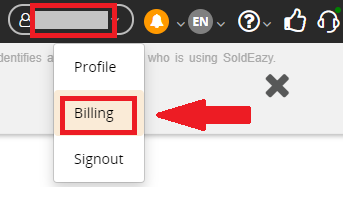
Login to SoldEazy and click the <Billing> in the drop-down menu of the user name in the page upper right corner
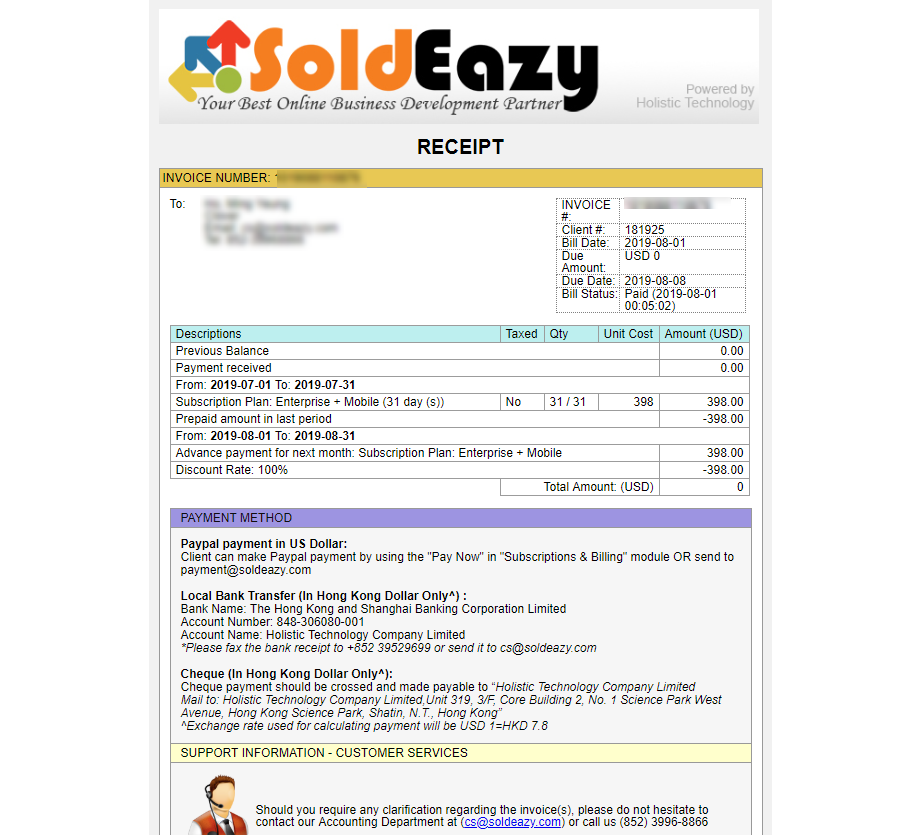
Select the bill for the billing date you want to view in 'Subscription Detail' section of that page and click <View> button to see the detail

|
| 2. How to download SoldEazy monthly bill |
|
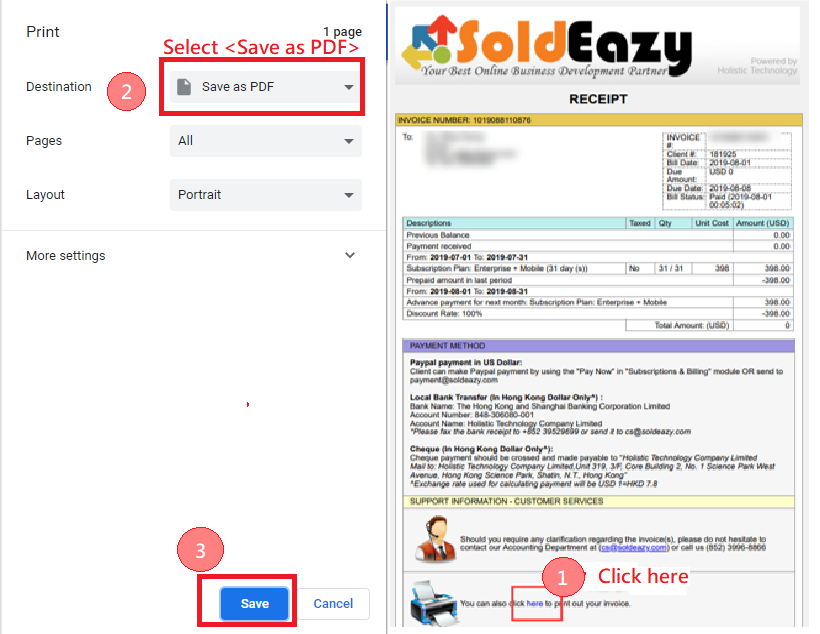
While viewing the bill, click <here> button beside the printer icon. Then, turn the <Destination> option to <Save as PDF> and click the <Save> button
|
| 3. How to print SoldEazy monthly bill |
|
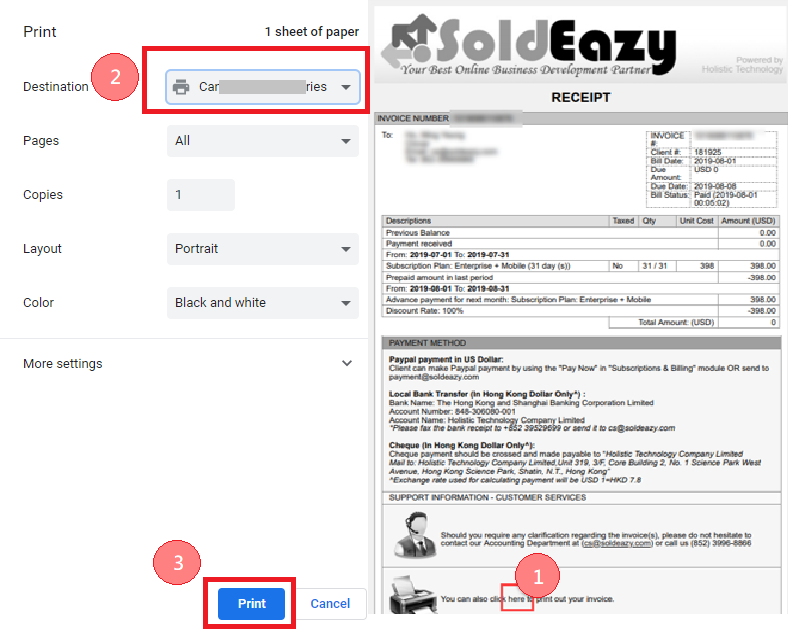
While viewing the bill, click <here> button beside the printer icon. Then, turn the <Destination> option to your applicable printer model and click the <Print> button
|
***Fin***
There are no attachments for this article.
Related Articles

Setting about Megashowcase
Viewed 4417 times since Tue, Jul 31, 2018
Introduction of Promoted Listings
Viewed 4195 times since Fri, Jul 20, 2018
How to update Wish/ ebay account token
Viewed 5973 times since Tue, Jul 17, 2018
01 Plan & Payment
Viewed 23536 times since Thu, Nov 30, 2017



 Print Article
 Email Article to Friend
 Export to PDF