SoldEazy Help and Support

Buy shipping labels directly (Royal Mail)

Buy shipping labels directly (Royal Mail)
  1. Wallet top-up
  2. Buy mailing labels
1. Wallet top-up

Log in to SoldEazy, click your login name in the upper right corner, and enter <Wallet>

Click <Create a New Wallet>

Select the currency of the mailing label you want to purchase and confirm the creation

Select the amount to be topped up, choose the top-up method, and click Confirm to complete the top-up.

1. Credit card top-up

2. Payoneer top-up

* UK Royal Mail shipping labels need to be purchased in pounds sterling. Therefore, you need to top-up separately. Please note.

2. Purchase a shipping label

Log in to SoldEazy, go to Orders > Sales Orders > All Orders , and the function options for orders that can directly purchase mailing labels will display the <Buy Mailing Labels> button. Click it to purchase the mailing label.

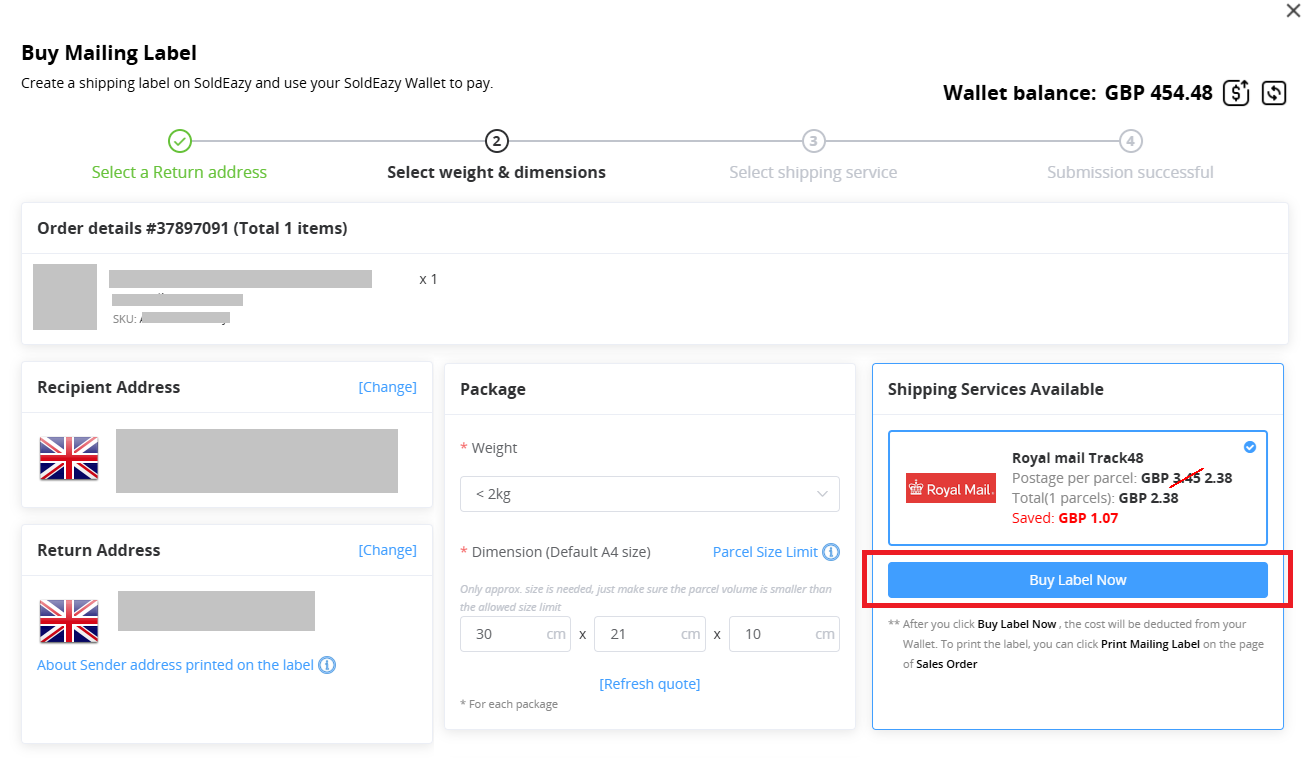
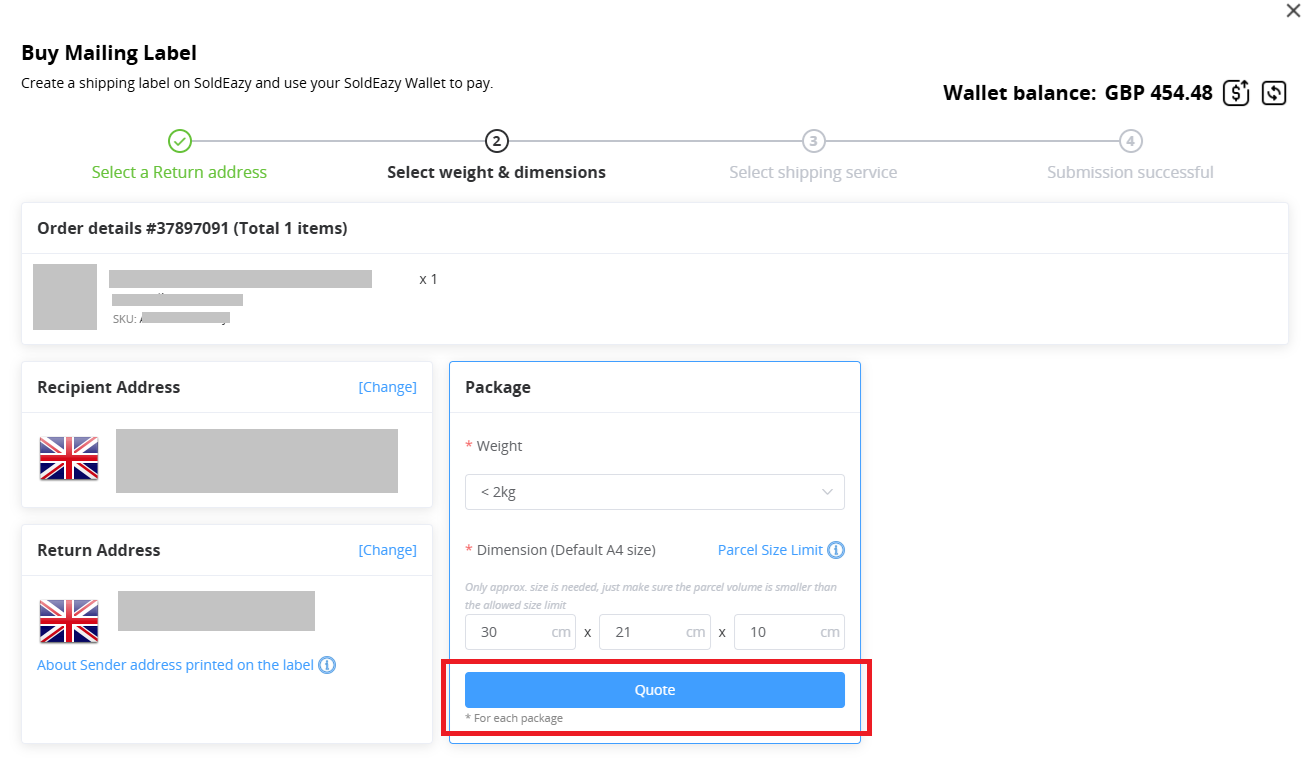
Confirm the sender and recipient addresses in the pop-up window, get a quote, and confirm your purchase.
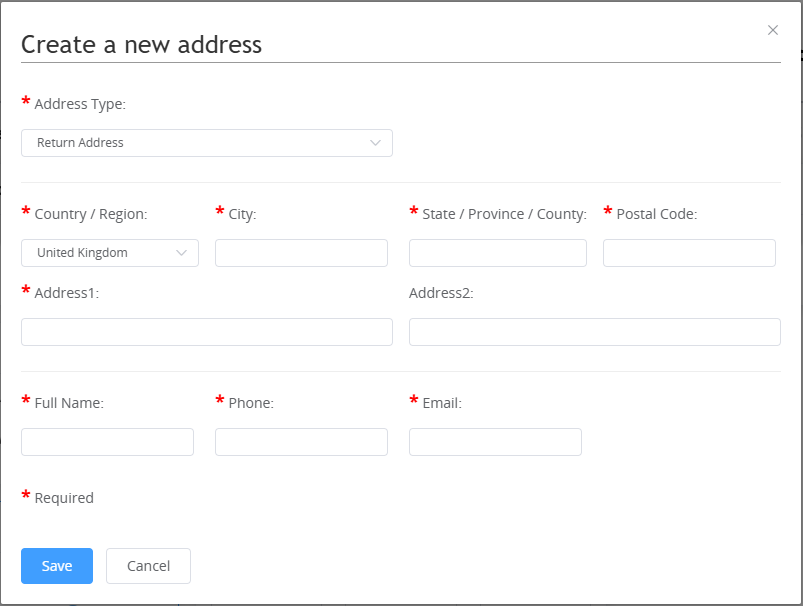
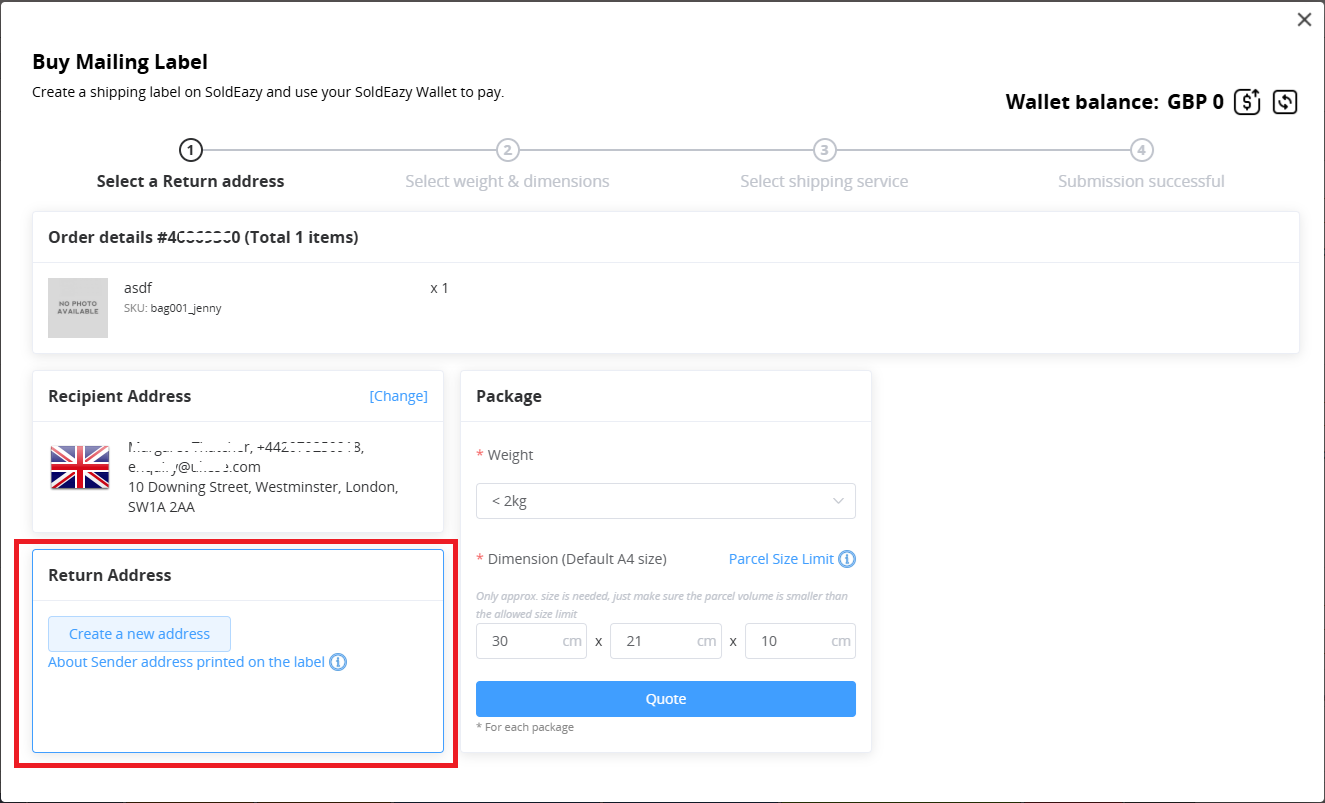
If you don't have a sender/return address set, you can add a new one.
Please note:

1. Only orders with top-up in the corresponding currency can be purchased. Please create a new wallet and top up the amount beforehand.
2. If there is already a package record on the order, the purchase button will not appear. To purchase a shipping label directly, please delete the package.
3. Only orders with a "Paid" status can purchase a shipping label directly. If the current order has been shipped, you can use the duplicate function to create a new order record, mark it as paid, and then purchase the shipping label.

***END***

0 (0)
Article Rating (No Votes)
Rate this article
Attachments
There are no attachments for this article.
Related Articles RSS Feed
04 General flows & knowledge for SFC warehouse fulfillment via SoldEazy
Viewed 10268 times since Fri, Jun 1, 2018
Order funcrtion tutorials - video
Viewed 11965 times since Thu, Dec 14, 2017
How to re-ship orders with "shipped" status
Viewed 7094 times since Wed, Dec 28, 2022
01 ShipEazy - Basic Operation Manual
Viewed 34185 times since Thu, Nov 30, 2017
Link up FedEx in SoldEazy
Viewed 8715 times since Mon, Sep 27, 2021
How to use EC-Ship(Hongkong Post)account to ship
Viewed 9799 times since Tue, Jul 28, 2020
Link up Royal Mail account in SoldEazy
Viewed 5842 times since Wed, Nov 30, 2022
03 Order - Advanced Features
Viewed 148462 times since Thu, Nov 30, 2017
How to use eDIS (Orrange Connex)to ship order
Viewed 1449 times since Fri, Apr 25, 2025
How to add shipping channel for eBay e-Express & EC-Ship
Viewed 12702 times since Fri, Jun 15, 2018