SoldEazy Help and Support

How to accept/decline best offer from buyer or send counteroffer?

How to accept/decline best offer from buyer
or send counteroffer
  1. View and process buyer offers
  2. Why is the buyer ID garbled and the zip code marked with asterisks?
1. View and process buyer offers

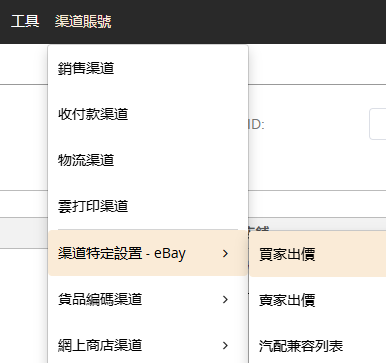
Go to Channel Account > Channel-Specific Settings - eBay > Buyer offer

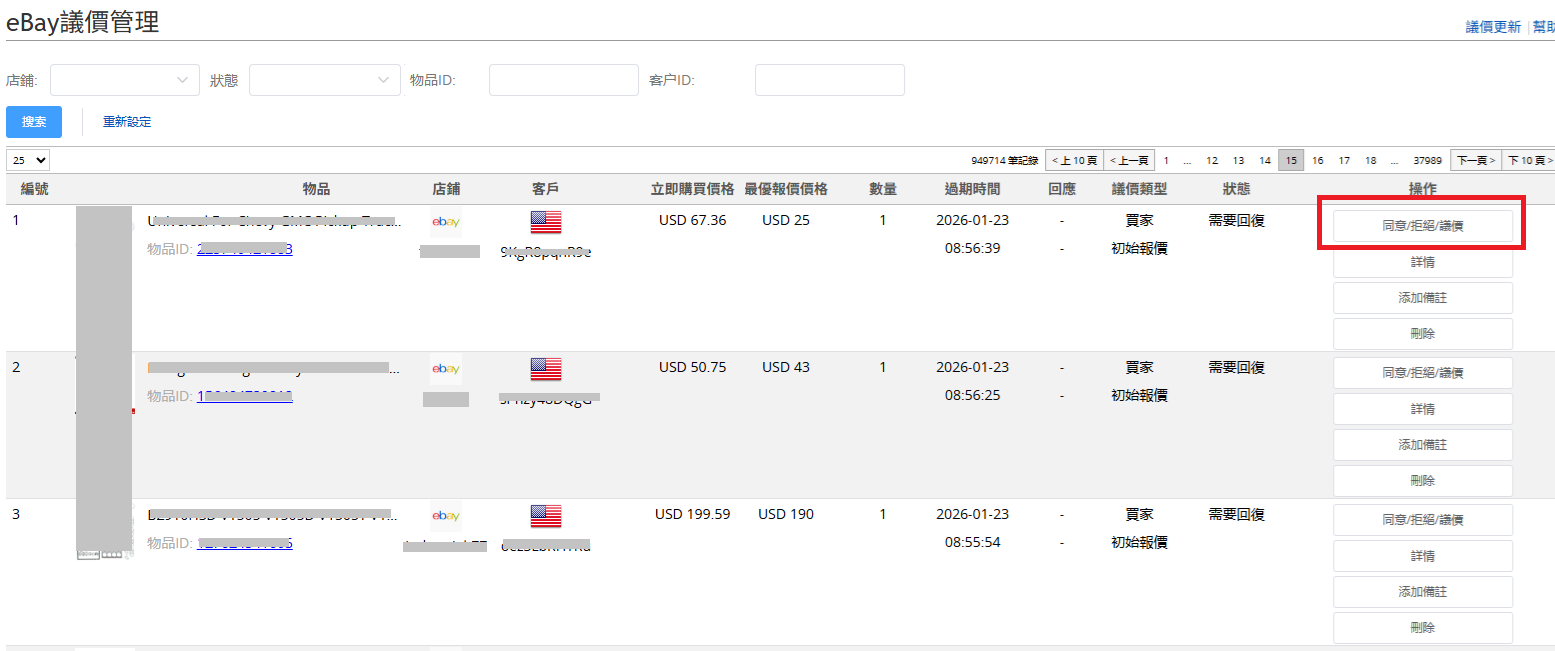
To view the price offers sent by the buyer, click on the "Agree/Reject/counteroffer" button to take action.

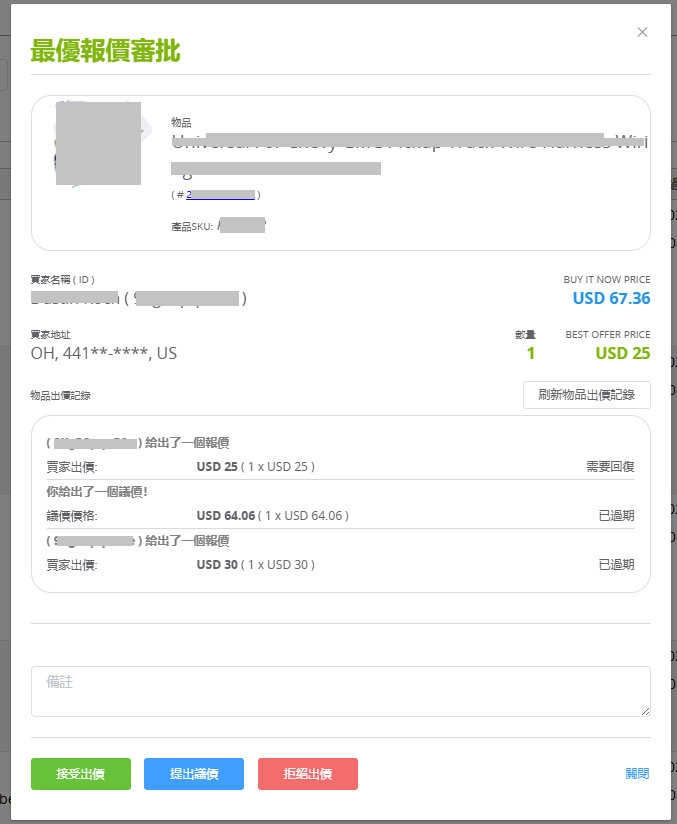
In the pop-up window, you can accept or reject the offer, or propose a counteroffer.

If you have previously offers with the same buyer for the same item, they will also be displayed.

2. Why is the buyer ID garbled and the zip code marked with asterisks?

Due to stricter requirements for buyer information protection on the US site, SoldEazy cannot display US buyer IDs or zip codes. If needed, please log in to your eBay account to view these details.

***END***

0 (0)
Article Rating (No Votes)
Rate this article
Attachments
There are no attachments for this article.
Related Articles RSS Feed
04 Listing Schedule
Viewed 3899 times since Thu, Nov 30, 2017
How to use eBay business policies?
Viewed 2883 times since Thu, Dec 22, 2022
05 Business Profile (2): Advanced Functions
Viewed 7392 times since Thu, Nov 30, 2017
Use of eBay Promoted Offsite
Viewed 1665 times since Tue, Aug 27, 2024
02 Add/ Modify Product Identifiers (GTIN)
Viewed 4006 times since Wed, Nov 29, 2017
Latest translation function (eBay translation API & order message translation)
Viewed 4817 times since Wed, Jul 29, 2020
01 Automation
Viewed 3781 times since Wed, Nov 29, 2017
Priority campaign strategy PLP (originally known as PLA, Cost per click)
Viewed 5236 times since Thu, Nov 25, 2021
How to switch to or apply an updated business profile?
Viewed 3113 times since Mon, Feb 13, 2023
VAT settings in Business Profile
Viewed 17553 times since Tue, Sep 29, 2020